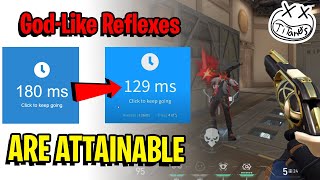
How To Improve Reaction Time In FPS Games
Reaction time is the split‑second interval between seeing a visual cue and executing a response. In fast‑paced first‑person shooters (FPS), a millisecond can be the difference between a headshot and a miss. While genetics play a role, most players can sharpen their reflexes with targeted training, smart practice routines, and a healthy lifestyle.
1. Understanding Reaction Time in the Context of FPS
Reaction time in gaming is a composite of visual processing, decision making, and motor execution. A typical professional FPS player exhibits a reaction time of 200–250 ms, whereas the average casual player sits around 300–400 ms. The goal is not to become instant; it is to reduce latency consistently and to improve the reliability of your responses.
Key Components
- Visual Latency – How quickly your eyes capture and send information to the brain.
- Cognitive Latency – The time the brain takes to interpret the visual input and decide on a course of action.
- Motor Latency – The delay between the brain’s decision and the physical movement of your mouse or controller.
Each component can be trained separately, but the most effective improvement comes from integrated practice that mimics in‑game scenarios.
2. Physical Preparation and Ergonomics
Before diving into mental drills, ensure your body is primed for precision.
- Proper Setup – Use an ergonomic chair, maintain a neutral wrist position, and keep your monitor at eye level to reduce strain.
- Warm‑Up Routine – Perform light stretches and hand circles to increase blood flow to the forearms and fingers.
- Hand Strengthening – Incorporate exercises such as grip squeezes or resistance band pulls to improve finger dexterity.
These steps lower the baseline latency caused by physical fatigue and improve overall responsiveness.
3. Eye and Brain Training Exercises
Dedicated eye‑brain drills can sharpen visual acuity and neural processing speed. Below are evidence‑based practices that many competitive players use.
3.1. Reaction Drills with Apps
Tools like Rift, Aim Lab, and Kovaak’s FPS Aim Trainer offer customizable scenarios that challenge both reaction and tracking. Set a daily 10‑minute session focusing on:
- Sudden target appearance.
- Variable target speed.
- Changing target sizes.
3.2. Peripheral Vision Training
Place a small object in the corner of your vision and practice detecting it while focusing on the center. This exercise enhances your ability to spot enemies emerging from corners.
3.3. Rapid Visual Switching
Use a timer to flash two colors alternately on a screen. Record the time it takes to respond with a button