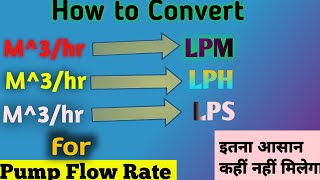
M3 H To Lpm Calculator: Converting Volumetric Flow Rates for HVAC and Pump Systems
When working with HVAC, refrigeration, or industrial pumping systems, engineers often encounter flow rates expressed in different units. A common conversion is from cubic meters per hour (M3/h) to litres per minute (L/min). This article explains the basic concept of unit conversion, why the conversion matters in real‑world projects, and how to use an M3 H To Lpm calculator efficiently.
Why Convert Between M3/h and L/min?
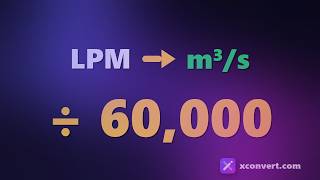
Many pump manufacturers quote their performance in cubic meters per second (m3/s) or cubic meters per hour. However, building design documents—such as ventilation tables, duct sizing charts, and chiller loop specifications—often use litres per minute (L/min). Using the wrong unit can lead to:
- Incorrect pipe sizing and pressure loss calculations
- Mismatch between pump capacity and system demand
- Inaccurate energy consumption estimates
Thus, a quick and reliable conversion tool is essential for engineers, technicians, and project managers.
Basic Concept of Unit Conversion
Unit conversion is the process of expressing a quantity in one set of units using a conversion factor. For volumetric flow rates, the relationship between cubic meters and litres is simple:
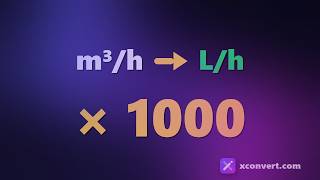
1 cubic meter = 1,000 litres
When converting from hours to minutes, remember that:
1 hour = 60 minutes
Combining these two facts gives the conversion factor between M3/h and L/min:
1 M3/h = (1,000 litres) / 60 minutes ≈ 16.6667 L/min
Step‑by‑Step Conversion Example
- Start with a flow rate of 4,000 M3/h (typical for a large chiller loop).
- Multiply by 1,000 to convert cubic meters to litres: 4,000 × 1,000 = 4,000,000 litres.
- Divide by 60 to convert hours to minutes: 4,000,000 ÷ 60 ≈ 66,666.7 L/min.
Thus, a 4,000 M3/h chiller loop corresponds to about 66,667 L/min.
Using an M3 H To Lpm Calculator
While the arithmetic above is straightforward, an online calculator saves time and reduces errors, especially when dealing with many values. A typical M3 H To Lpm calculator performs the following steps automatically:
- Accepts input in cubic meters per hour.
- Applies the conversion factor 1,000/60.
- Displays the result in litres per minute.
- Optionally, allows reverse conversion (L/min to M3/h).
When using the calculator, double‑check that the input is correctly formatted. For example, entering “4000” without a unit