Why Turning In Homework On Time Matters
Submitting homework promptly is more than a classroom rule; it builds habits that support academic success and personal responsibility. When assignments are turned in on schedule, teachers can provide timely feedback, students can identify gaps before the next unit begins, and grades reflect true mastery rather than rushed, last‑minute work. Consistent on‑time submission also reduces stress, because the workload is spread evenly across the semester instead of piling up at the last minute.
Step‑by‑Step Guide to Turn In Homework
1. Choose the Right Submission Method
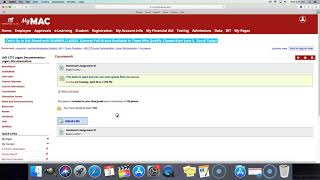
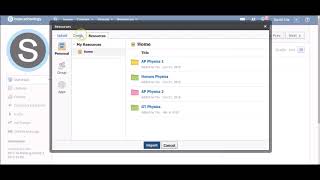
Most schools offer several ways to deliver assignments: paper drop boxes, email, learning management systems (LMS) such as Canvas or Google Classroom, and specialized apps like Classkick. Selecting the method your teacher prefers eliminates the risk of missed submissions. If you are unsure, check the syllabus or ask the instructor directly.
2. Prepare Your Work for Digital Platforms
When the assignment must be uploaded, follow these best practices:
- File format: Use PDF for text documents, JPG or PNG for images, and MP4 for video projects. PDFs preserve formatting across devices.
- Name your file clearly: Include your name, class, and assignment title (e.g., Logan_Math_Algebra_Unit5.pdf).
- Check file size: Many LMS platforms limit uploads to 25 MB. Compress images or split large documents if needed.
- Proofread: A quick spell‑check and a review of equations or diagrams can catch errors before you click “Submit.”
3. Using Classkick to Submit Assignments
Classkick is a popular tool for real‑time teacher feedback. Here’s how to turn in homework with it:
- Open the Classkick assignment link provided by your teacher.
- Tap the “Add” button (usually a plus sign) to create a new page.